
A Mentor Brief arrives when your goals, your journal, your daily reads and, if connected, your health point to the same problem. This guide shows how to read one, add its action plan to Goals, change the plan with the Mentor, and tell when the next Brief can arrive.
What a Mentor Brief is
The Mentor reads four pillars: your goals and tasks, your journal, your daily reads from Today’s Read, and your health data if you connected it. Only the pillars you use count. More than half of them have to agree before a Brief is written.
Agreeing means each one shows a pattern, a change against your own range that has repeated. One missed task is not a pattern, and neither is one short night. Several due days in a row with nothing completed can be one, and so can a journal that has gone silent compared with how often you usually write.
A Brief names the problem, what it costs you and the one change to make, then gives you an action plan with a deadline. It is rare by design. You get at most eight in a calendar month, and while you work a Brief’s plan, no new one is written before the plan’s due date unless more of your pillars confirm the pattern.
Find your Brief
On Home, the Mentor Brief card shows where your reading stands, and a ready Brief also joins your For today list. From any screen, tap + at the right end of the tab bar and choose Mentor Brief.
The overview opens on your live Brief. Its card shows the mode, the title, the reason in a few lines, and when it was issued and is due. Tap Read the Brief to open it. The Next Brief card below shows each pillar in one word, how many have confirmed a pattern, and the earliest date the next Brief can arrive. Last Brief keeps the one before, with its outcome.
Tap the Next Brief card to see what each pillar measured. For goals that reads, for example, “Consecutive due days with nothing completed, on your own schedule.” The ⋯ button at the top right has Share, About Mentor Brief and Report response.
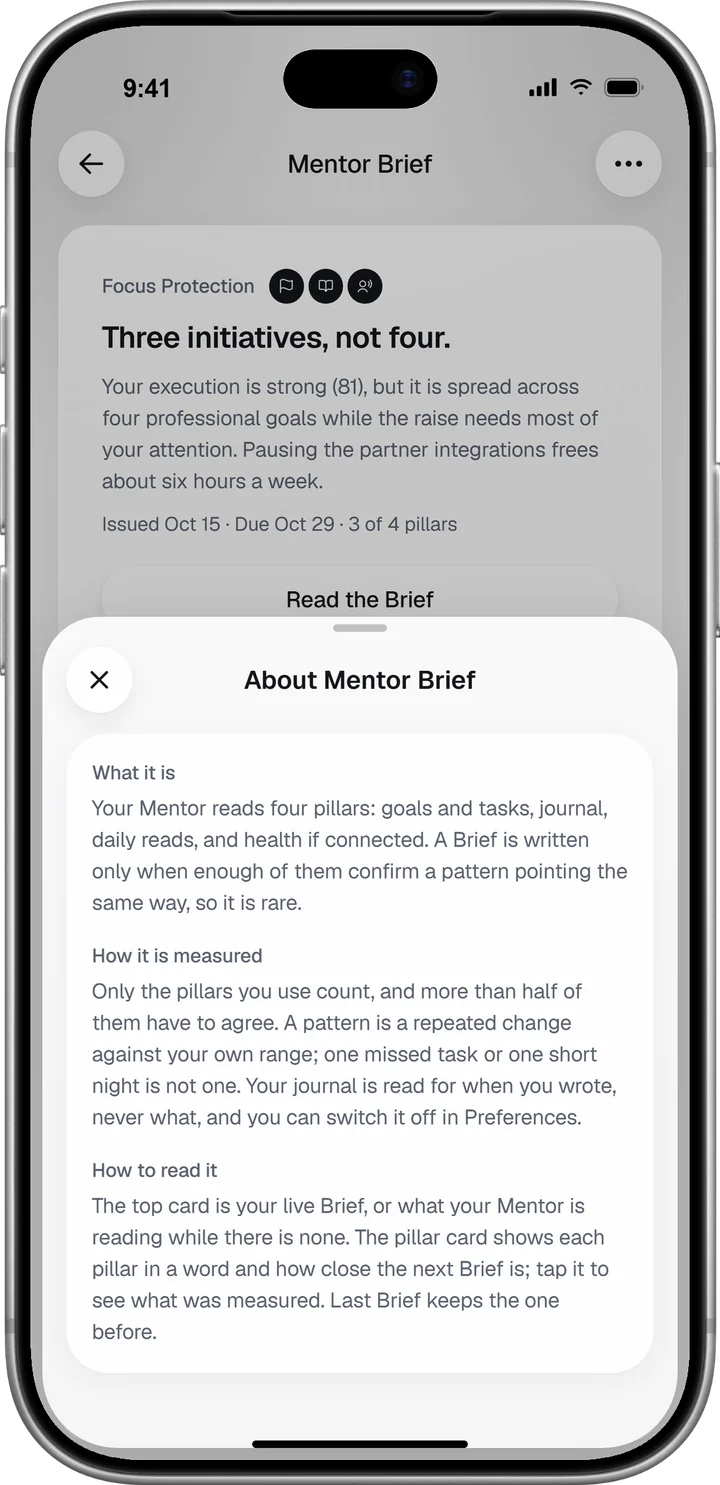
Read the Brief
The Brief opens with its mode at the top, such as Focus Protection, and how many of your sources agreed. Its title is the ask, for example “Three initiatives, not four.” Below it come Why now?, What the signals say together, The cost, The lever and the Action plan, always in that order. What is the Mentor Brief? says what each part holds.
Read it once from top to bottom before you act. The action plan answers The cost, so it reads best after it.
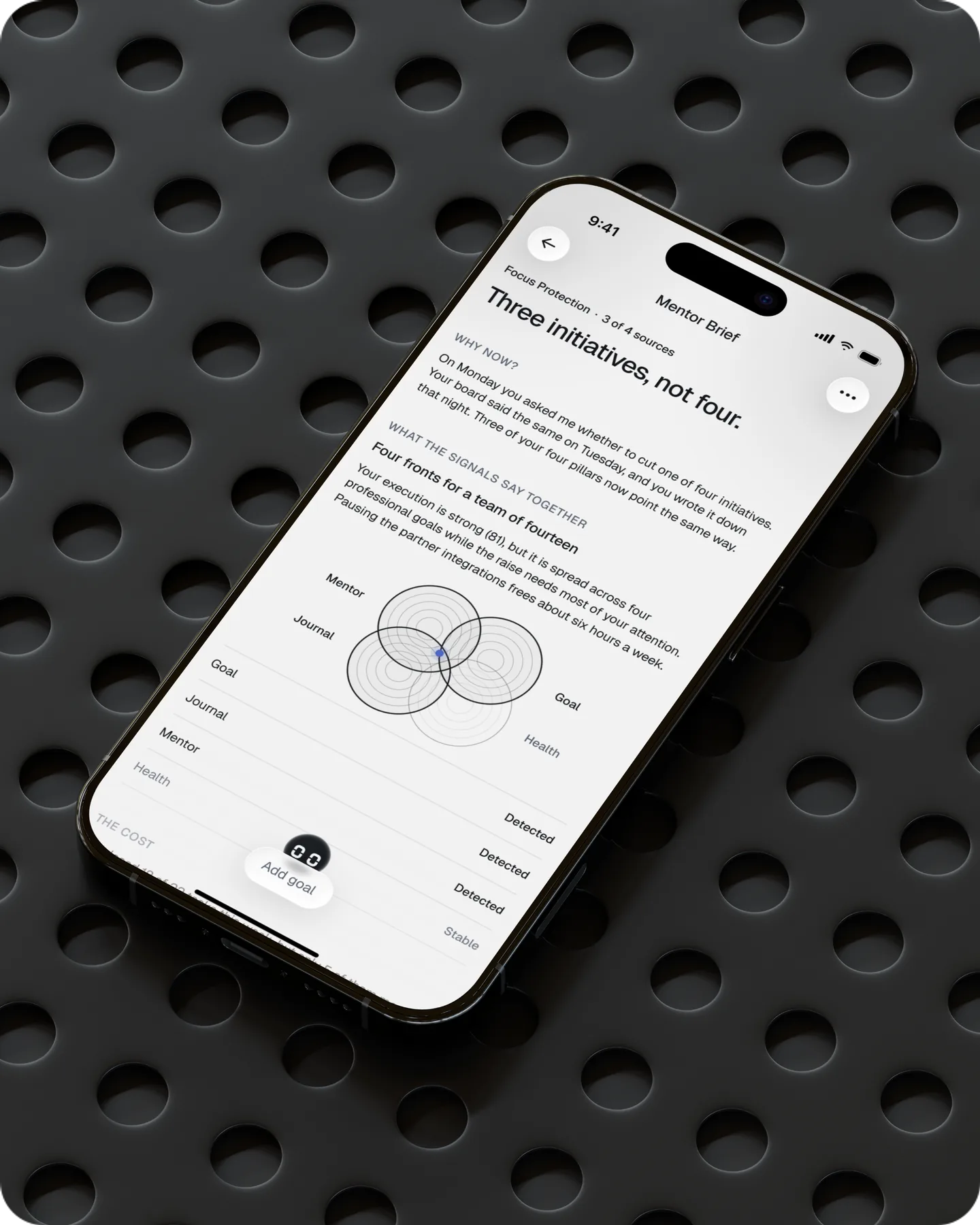
Add the action plan to your goals
At the foot of the Brief, tap Add goal. The goal sheet opens with the plan already filled in: the goal’s name, deadline, priority and category, and each task with its own date. Change anything that does not fit your week, then tap Add.
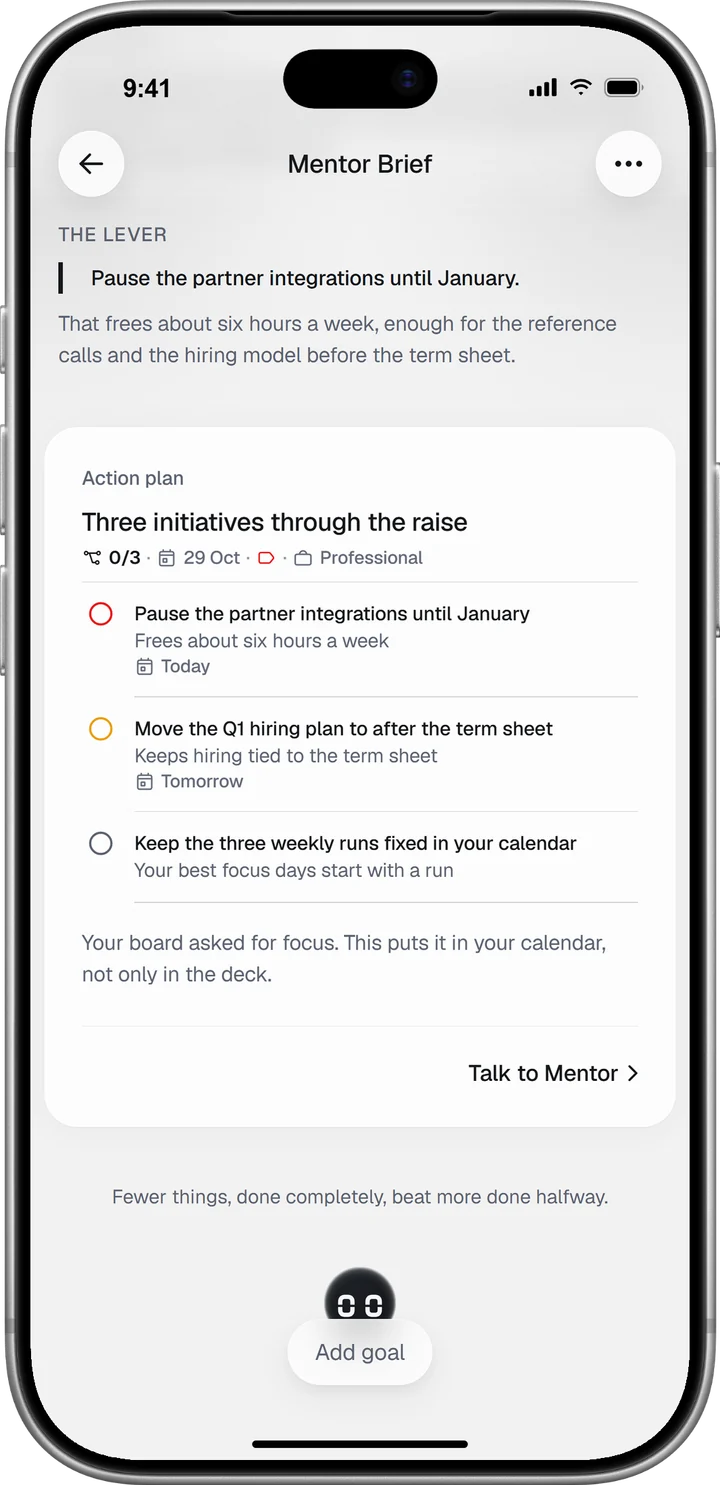
The goal lands in Goals with a note that it came from the Brief, and the button at the foot changes to Talk to Mentor. What happens to the Brief once the goal is done, or if you never add it, is in Add or change a Mentor Brief’s action plan.
Working the plan follows the same rhythm as any goal. The goals and weekly review guide covers that part.
Talk the Brief through with the Mentor
Tap Talk to Mentor at the foot of the Brief, or the small Mentor figure that peeks out behind the button. The chat opens with the Mentor’s reading of your Brief already written and three questions you might ask next. Tap one, or type your own. The Mentor guide covers the chat itself.
While the Brief is live, you can change its plan here. Say what does not fit: “I’m travelling Tuesday and Wednesday, move the deep-work blocks to Thursday.” The Mentor answers with a revised plan and an Update action plan button under it. Tap it and the Brief’s plan changes, and the button reads Applied. If the change does not go through, a line under the button says so, and a second tap tries again.
When the next Brief can arrive
With no live Brief, the top card says in one line where the reading stands, from All quiet, which is a good reading, to how many patterns have confirmed and how many more pillars would have to agree. A pillar joins the reading once it has something to read, such as one daily read or one journal entry.
At the foot of the overview, Not in the reading yet lists the pillars you could still bring in, each with its own button: Write an entry, Start a daily read, Add goal, Open Preferences or Connect. It disappears once every source is flowing.
What each line on the overview means, when each pillar starts counting and every limit on how often a Brief arrives are in When do you get a Mentor Brief?
Control what the Brief reads
The journal pillar has its own switch: in your Profile, open Preferences, and under Mentor turn Journal for the Mentor Brief on or off. With it off, nothing from your journal is read or counted for the Brief. The health pillar reads only what you allowed in Apple Health or Health Connect. When do you get a Mentor Brief? says what the switch lets the Mentor read.




